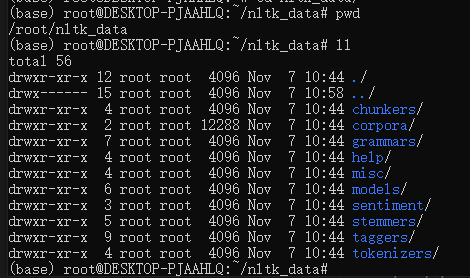
解决方法: 从其他地方下载nltk(比如其他博主提供的百度云盘资源),将文件放在上文报错信息中指定的路径下(任意一个路径即可,例如我放在了/root下)。 2)uv run download_deps.py下载谷歌驱动时超时 解决方法:
加入 –china-mirrors参数可以使用国内源下载,避免超时等问题
也可以尝试使用python3执行下载脚本
1
python3 download_deps.py --china-mirrors
docker build构建镜像时超时 报错信息:
1 2 3 4 5 6 7 8
Dockerfile:2
--------------------
   1 |     # base stage
   2 | >>> FROM ubuntu:22.04 AS base
   3 |     USER root
   4 |     SHELL ["/bin/bash", "-c"]
--------------------
ERROR: failed to build: failed to solve: failed to fetch anonymous token: Get "https://auth.docker.io/token?scope=repository%3Alibrary%2Fubuntu%3Apull&service=registry.docker.io": dial tcp 199.59.148.102:443: i/o timeout
ERROR: failed to build: failed to solve: process "/bin/bash -c cp /huggingface.co/InfiniFlow/huqie/huqie.txt.trie /ragflow/rag/res/ && tar --exclude='.*' -cf - /huggingface.co/InfiniFlow/text_concat_xgb_v1.0 /huggingface.co/InfiniFlow/deepdoc | tar -xf - --strip-components=3 -C /ragflow/rag/res/deepdoc" did not complete successfully: exit code: 1